Most listing "marketing plans" are a flyer, an email blast and a portal post, fired off the day the listing agreement is signed. Then the broker waits for the phone to ring.
A real commercial real estate marketing plan is short and specific. It ties one property to the buyers or tenants who actually fit it, gives every channel a job, names who follows up, and tells you whether it's working. It's also the thing that wins the listing: sellers hire the broker who can show them exactly how their property will go to market.
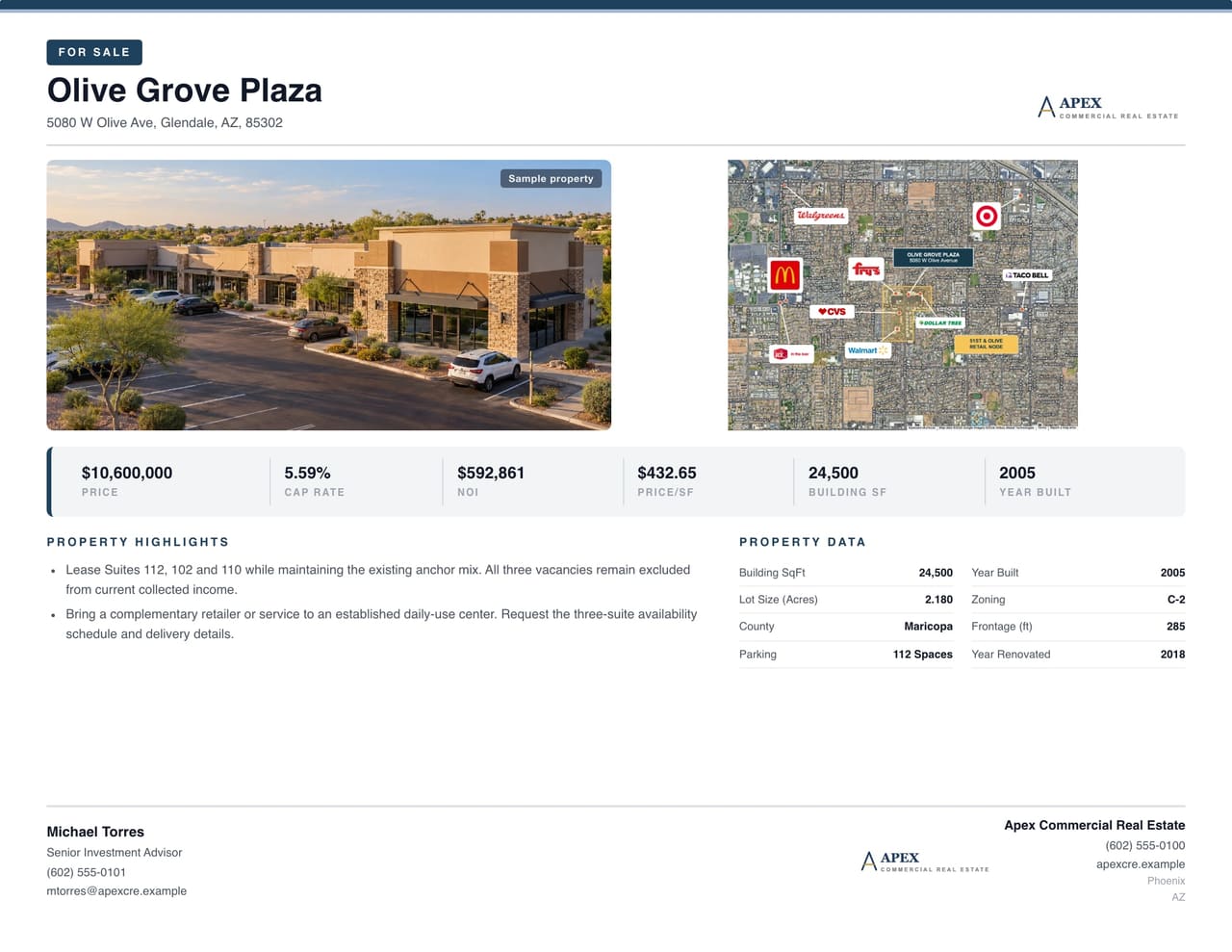
Want to see a finished launch before you plan yours? Open the sample listing launch kit: a complete package for Olive Grove Plaza, a retail center in Glendale, with the OM, flyer, teaser and tenant-logo map, plus the steps to take your own listing to market.

1. Define the assignment and the audience
Write a five-line brief before you pick a single channel:
- Assignment: investment sale, owner-user sale or lease
- Property: asset type, location, size, condition, occupancy and anything that limits the buyer pool
- Audience: the buyer or tenant profiles this property actually fits
- Next step: what you want a prospect to do: request the OM, book a tour or talk through space requirements
- Owner: who answers inquiries and keeps the listing current
For an investment sale, the audience might be "1031 buyers and private investors looking for $2 million to $5 million single-tenant retail in the Southwest." For a lease, it's use, size, access, loading, parking and timing.
"Reach more investors" is not a brief. "Reach the investors this deal fits, and give them what they need to underwrite it" is.
2. Get the property facts right once
Every channel pulls from the same facts: address, building and lot size, photos, maps, asking terms, financials and contact info. Lock them before launch. Keep actuals and pro forma clearly labeled, and decide who signs off when the price changes so you never have three prices floating around.
This is where the software earns its keep. In CREBuilder, the address fills in building facts where data is available, 1-, 3- and 5-mile demographics, a market overview and a location map. Price, NOI and cap rate are derived once and shared by the cover, the calculated executive-summary metric cards, the financial summary and the valuation pages.
3. Build the core marketing package
Pick materials based on what the prospect needs to decide next:
| Material | Its job | Next step |
|---|---|---|
| OM | The full investment story | Request info or a call |
| Flyer or teaser | The headline facts, fast | Ask for the full package |
| Leasing package | Space and fit for a tenant | Book a tour |
| Property website | One current link | Request documents |
| Deal Room | Rent roll, T-12 and leases behind an NDA | Underwrite and send an LOI |
Start with the document that needs the most information. For an investment sale, that's the offering memorandum. Then convert it into the teaser, flyer or leasing package in one click, with the property data, photos and financials carried over. Each converted piece starts with identical numbers; if the price changes later, update each piece the same day.

Browse CRE marketing template samples to see a full package across asset classes.
4. Give every channel a job
Pick a channel mix you can actually follow up on.
Your property website is home base. Every email, post and ad points here. On CREBuilder Pro, every completed document can become a branded property website, and inquiries land in your CRM with the property attached. Open the link on your phone before you send it anywhere: price, size and a way to reach you should all be on the first screen.

Email reaches the people who already know you. Write a subject line that says what the property is, link to the listing page, and send it to the buyers whose criteria fit. In CREBuilder, the listing becomes a branded email blast you can send to CRM tags, pipeline stages or matched buyers.
Social posts introduce the property visually. Use real photos, give one reason to look closer and link to the listing. Rotate the angle (the location, the building, the deal) instead of reposting the same image.
Listing syndication puts the property in front of marketplace audiences. In CREBuilder, one Sync switch sends a listing to LandSearch (sales and land leases), CRE Traded (sales) and FindSpaceNow (leases), with no partner accounts to set up.
Paid ads need a specific audience, a destination, a budget and an inquiry you can count. Start small, read the inquiries you actually get, then decide whether to spend more.
5. Assign follow-up before launch
Name who handles each inquiry, what they capture and how fast they respond. Every prospect record should show the source, the property, what they're looking for, their stage and the next task. Keep the stages simple: inquiry, qualified conversation, tour, LOI or offer, outcome.
A CRM built for CRE keeps contacts, properties and tasks together. In CREBuilder, website inquiries, NDA signatures and Deal Room views and downloads create or update the contact automatically, with the property attached and a deal created. Nothing falls between the inbox and the spreadsheet.
6. Use a simple launch calendar
| Phase | Work | Done when |
|---|---|---|
| Prep | Lock property facts, audience, documents, photos and seller sign-off | The seller approves the package |
| Launch | Publish the listing page, send the email, post the first social | Links, inquiry forms and document access all work |
| First week | Read sources, questions and inquiry quality | Every active prospect has a next step |
| Ongoing | Refresh materials when facts change and shift effort toward what's producing | Current info everywhere, a next step for every prospect |
Don't turn the calendar into a quota of messages. If buyers keep asking the same basic question, fix the listing before you add another channel.
7. Measure what moves the deal
Track activity, but judge the plan on outcomes:
- Listing page visits by source
- Inquiries and document requests
- Qualified conversations
- Tours, LOIs and offers
- Ad cost per qualified inquiry
Use consistent campaign names and UTM links so you know which channel produced each conversation. In CREBuilder, Listing Hub shows views, downloads and inquiries for each property, and Deal Rooms show which buyers viewed the OM and downloaded the files. One quiet day doesn't mean the plan failed. Weak inquiries week after week are the signal to change course.
Put the plan in one place
A marketing plan only works if the facts, the distribution and the follow-up stay connected. CREBuilder puts the OM, flyer, property website, Deal Room, email blasts and CRM on one platform, so a lead never has to be retyped.
Walk into your next listing pitch with the plan and the package already built. Build your first OM free.
Sample properties shown.