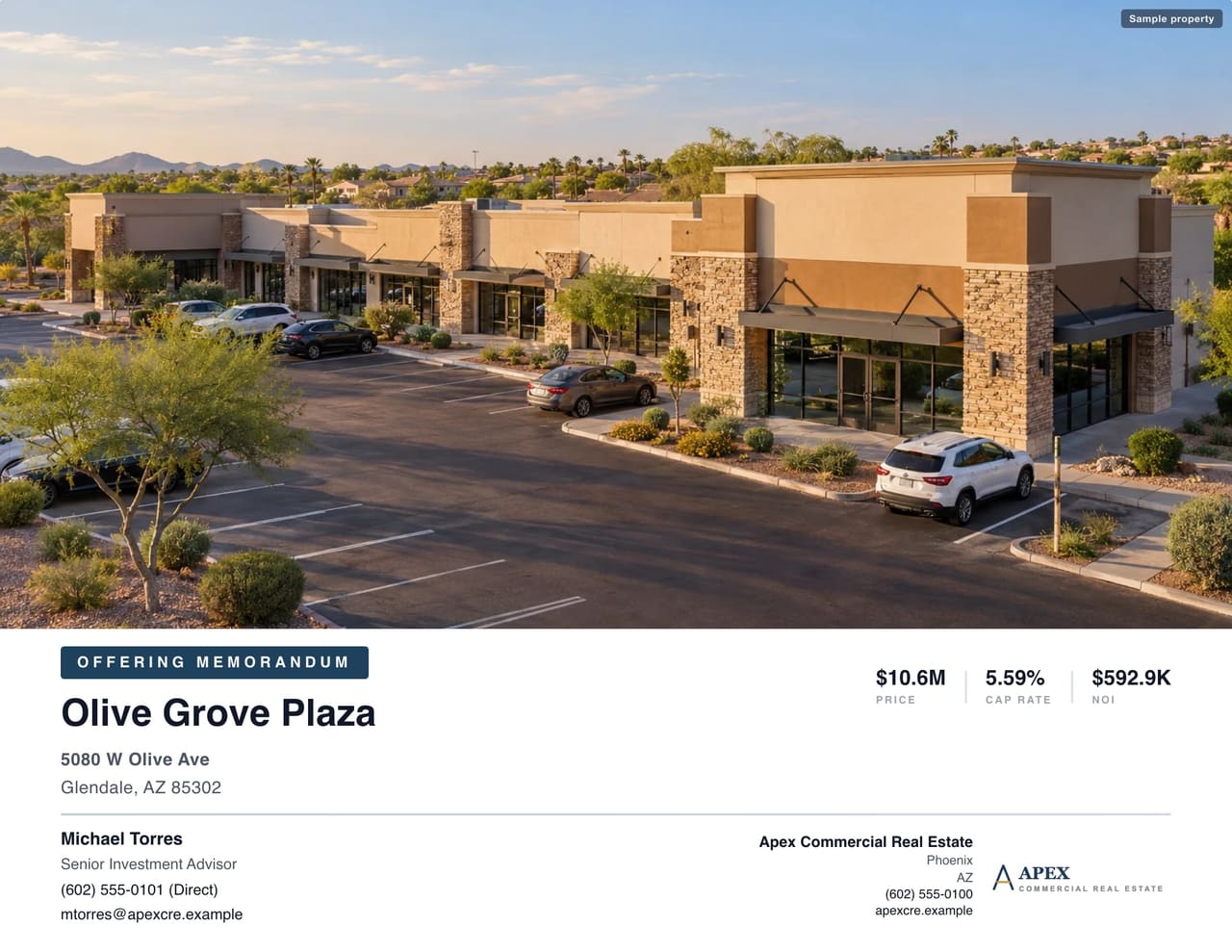
Buyers don't tell you why they stopped reading your OM. They just stop. The book goes into a folder, the call never comes, and you're left guessing whether it was the price, the market or the deal.
Often it's none of those. It's something in the book itself: a detail that made a buyer trust the numbers a little less, or work a little harder than they wanted to. Here are the five that end the read most often, and the fix for each.
1. The cap rate on page 3 doesn't match page 12
Nothing makes a buyer close the PDF faster. The cover says 6.52%. The valuation page, built from an older NOI, says 6.38%. Now the buyer isn't asking whether the deal works. They're asking which of your numbers they're supposed to believe, and they start re-underwriting everything else in the book with a red pen.
This almost always happens the same way: the price or NOI changed late, and somebody updated three of the four places it appears.
The fix: derive price, NOI and cap rate once and let every page read from that one source. In CREBuilder, you enter the price and NOI and the cap rate calculates itself, along with price per SF. The cover, the calculated executive-summary metric cards, the financial summary and the valuation pages all show the same cap rate, because it is the same number. Update the price once and the calculated price, NOI and cap-rate fields stay aligned.

One habit worth keeping: if you type a figure into the narrative or a highlight bullet, reread it after any price change. Prose is a snapshot. The calculated pages aren't.
2. "Rent roll attached separately"
The buyer is underwriting. They want to see who pays what, for how much longer, and how much of the building is producing income. Instead, they get a line telling them to go find an Excel file in another email.
That sends two signals, and neither is good. It says the rent roll wasn't worth formatting, and it makes the buyer do assembly work before they can decide whether they're interested.
The fix: put the rent roll in the book, formatted like the rest of it, with totals a buyer can read in one glance: occupied SF, vacant SF, gross potential rent, percent leased. Keep the vacancy visible. A buyer who finds an empty suite you didn't show will wonder what else you didn't show.

In CREBuilder, the rent roll is built into the OM, unit by unit or as a unit mix, alongside the pro forma, multi-year cash flow with escalations, and sales and rental comps. If a buyer needs the source files too, that's what a Deal Room is for.
3. A map with no subject on it
Retail and net lease buyers love a map with real tenant logos. What they don't love is a screenshot of a Google map with a dozen logos and no obvious answer to the only question that matters: where is the property?
A map without a clearly marked subject reads as a location you're hoping they won't look at too closely. A map with the subject at the center, the anchors around it and the highways labeled reads as a broker who knows the trade area.
The fix: mark the subject first and make it the clearest thing on the page. Then add the neighbors that tell the story: the grocery anchor, the national tenants, the hospital, the freeway on-ramp. Use leader lines to move a logo out of a crowded spot while still pointing to its real location.

In CREBuilder's Map Builder, you search any retailer's logo, drop it on a live Google map with your subject, shapes and labels, and save it into the OM as its own page. No Photoshop and no pasting screenshots into PowerPoint.
4. A location section with no numbers
"Located in a thriving, high-growth submarket with excellent access and strong demographics." Every OM says that. It tells a buyer nothing, and experienced buyers read it as filler covering for a weak story.
The fix: replace adjectives with figures. Population and household income within 1, 3 and 5 miles. Distance to the freeway and the airport. The employers and anchors that drive daily traffic. The Olive Grove Plaza highlights page below says "108,000+ residents within a 3-mile radius" and names the medical center and university that anchor weekday traffic. That does more work than a paragraph of "thriving."
In CREBuilder, the address fills in the 1-, 3- and 5-mile demographics, a market overview, city key facts, a location map, and nearby transit, airports and highways. You start the location section with real numbers instead of a blank page, and spend your time on the part only you know: why this corner matters.

5. A PDF that looks like it was made in Word
Buyers judge the asset by the book before they ever see the building. Default fonts, stretched photos, a logo pasted on the cover at the wrong size: none of it changes the NOI, but all of it tells a buyer this broker cuts corners. And if you cut corners on the book, what else got skipped?
The broker across the table is often from a national shop with a marketing department. Your book is sitting in the same inbox as theirs.
The fix: a professional layout, consistent from cover to confidentiality page, with your brand on every page. In CREBuilder, your logo, brand colors and fonts apply to every document automatically. Pick a professional theme, and if you want a different look later, swap it. Your content and branding carry over.

The common thread
Every one of these mistakes makes a buyer do work you should have done, or trust you a little less. Fix them and the book gets read to the end, which is the only way it ever turns into a call.
CREBuilder is built around exactly these fixes: one source for the key numbers, the rent roll inside the book, maps with real tenant logos, demographics from the address, and your brand on every page.
10% off Pro through Saturday, October 31
Pro turns your finished OM into a presentation-ready PDF, a branded property website and a Deal Room, with every inquiry landing in your CRM. Use code HALLOWEEN10 at checkout by 11:59 p.m. Phoenix time on Saturday, October 31 for 10% off your first payment, monthly or annual. One per customer. Building and previewing your first OM stays free, with no credit card.
Get 10% off Pro with HALLOWEEN10
Sample properties shown.