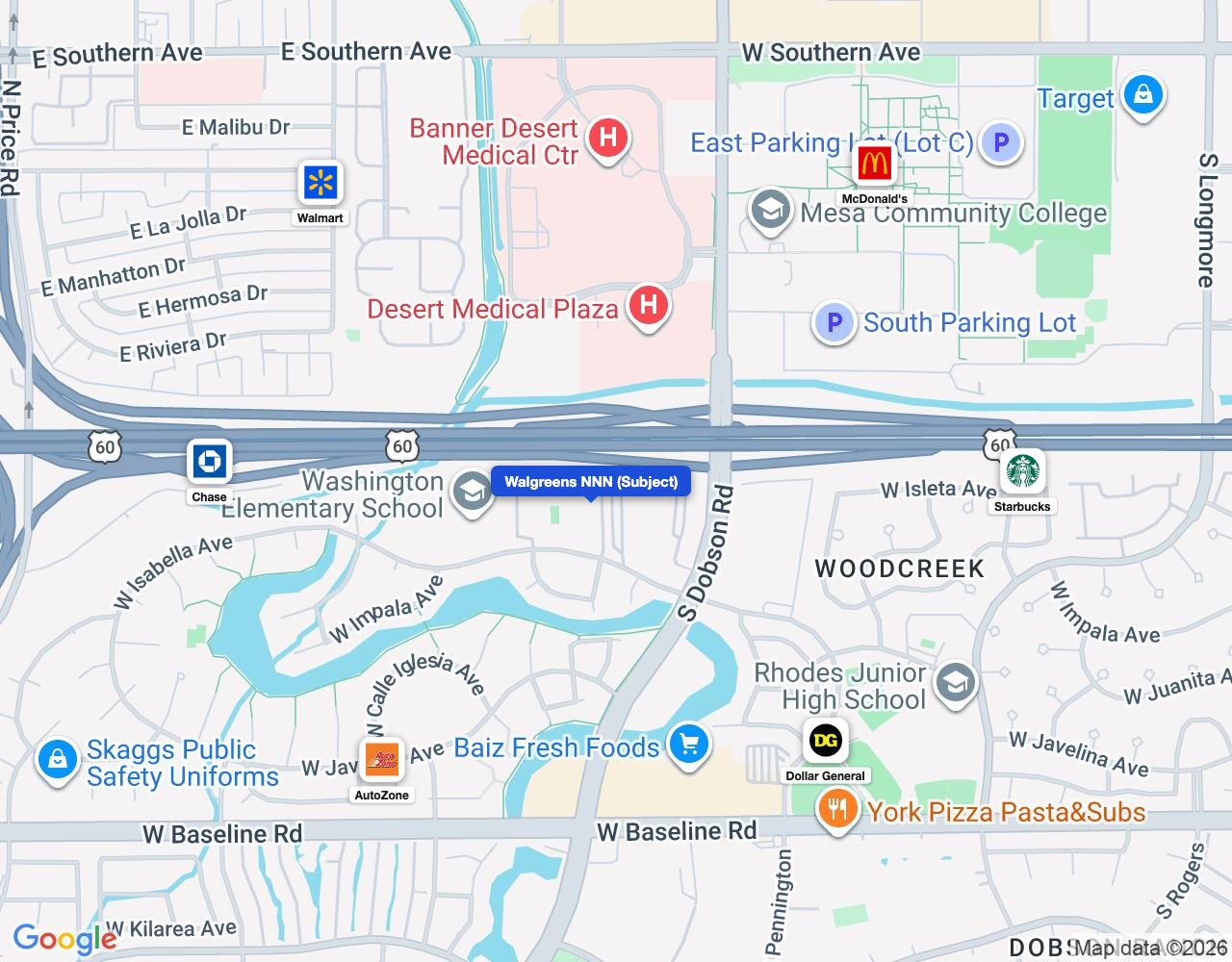
A buyer decides how they feel about a location in about five seconds. A retail map with Target, Starbucks and Chick-fil-A logos ringing your property does that job faster than any paragraph in the OM.
Most brokers still build that map the hard way: screenshot Google Maps, paste logos into PowerPoint, nudge them around, export, and hope it doesn't look blurry in the PDF. CREBuilder's Map Builder does it inside the document you're already building, and the finished map drops into your OM as its own full page.
Why tenant-logo maps sell locations
When an investor evaluates a property, they're not just looking at the building. They're evaluating the trade area, the neighbors, the traffic and the access. A good map answers all of that at a glance:
- Co-tenancy: recognizable brand logos show who's driving traffic next door
- Access: highways, interchanges and major arterials
- Density: rooftops, employment centers and surrounding development
- Competition: where your property sits relative to competing centers or comps
For retail, net lease and restaurant deals, the logo map does more selling than almost any other page in the book. It's also the page brokers most often skip because it's a pain to make.
From editor to OM page
Here's the editor: map tools on the left, your subject already marked from the property address, and a live Google map to place logos on.

Click Save Map and the map becomes a full page in the offering memorandum. Here's a finished one: the subject labeled dead center, anchors and national tenants placed around it, leader lines pulling logos out of crowded spots, and related brands grouped so the page reads in a glance.

How to build a map in CREBuilder
Maps live in the Maps section of every document. Here's the whole process.
Step 1: Open Maps and create a map
Open your document, select Maps in the Document Sections list, and click Create Map. The map opens centered on the address from Property Details, with your subject property already marked. If the pin is off, fix the address in Property Details and reopen Maps.
Step 2: Set the subject property
Select Property in the left toolbar to edit the marker and its label. Use the property name you want buyers to see. Keep the subject the clearest thing on the map.
Step 3: Add the neighbors
This is where the map comes alive.
- Nearby Places searches the area currently on screen. Pick a category (restaurants, retail, hospitals, employers and more) or search by name, then add the businesses that help tell the story.
- Brand Logo finds a retailer's logo by brand name. Pick the right match and drop it on the map.
- Upload places your own logo or graphic when you already have the right file.
- Label adds text for districts, highways, airports or submarkets.
- Draw adds rectangles, circles or polygons to outline a shopping district, campus or development site.
Pick the matches that tell your story. You know the neighborhood better than any database does, so add the neighbors a buyer will recognize and skip the rest.
Step 4: Clean it up
- Resize logos to set a hierarchy: anchors big, everyone else smaller.
- Group logos by dragging one onto another. Related brands snap into one tidy container.
- Use leader lines to move a logo out of a crowded spot while still pointing to its real location.
- Pick a Map Style: Default, Subtle, Light, Dark, Retro, Silver, Night, Satellite or Terrain. You can also hide label types that compete with your logos and highlight highways.
Step 5: Save Map
Click Save Map. CREBuilder captures a sharp, presentation-ready image and adds it to your document as a full page. Need a regional map and an amenity map? Click Create Map again. Every saved map becomes its own page, and you can reorder or hide map pages in Review & Customize.
No separate image downloads and no pasting into InDesign. The map is in the OM.
Best practices for CRE location maps
Make one map per story
Don't cram everything onto one map. These combinations work well:
- Regional map: where the property sits in the larger market, with cities, interstates and airports
- Retail and amenity map: nearby national tenants, grocery, banks and restaurants
- Demand generator map: employers, hospitals, universities and event venues
- Competitive set map: the subject next to the competing properties a buyer will compare it to
Prioritize recognizable brands
Not every business near the property needs a logo. Focus on:
- National credit tenants investors will recognize
- Major anchors that drive traffic to the area
- Complementary uses that make the property more appealing
Five well-placed logos tell a stronger story than twenty cluttered ones.
Choose the base map on purpose
- Light or Subtle keeps brand logos front and center on a retail map.
- Satellite shows parking fields, building footprints and open land. Great for industrial and land.
- A clean road style works best for regional maps where highways and city names carry the message.
Keep it clean
The best location maps say three things fast: this is a well-located property, it's surrounded by quality tenants, and it's easy to get to. If the map feels busy, group logos or delete the least important ones until it reads in a glance.
Maps across your documents
The Maps step is part of every CREBuilder document, so the same tool works whether you're building an offering memorandum, a sales teaser, a leasing package or a flyer. Build the map once in the document, save it, and it's on the page.
Your next listing deserves a map that sells the location before the buyer reads a word. Build your first OM free.
Sample properties shown.